
Brave Private Web Browser, VPN
Brave SoftwareCommunication
4.899.21K Reviews
- Version
- 1.99.57
- Installs
- 100.00M
- Age Rating
- Everyone
Screenshots


Our Review of Brave Private Web Browser, VPN
 Analysis by Appyee
I judge a mobile browser less by how impressive its feature list sounds and more by what happens during ordinary use: opening a search result, jumping between a few tabs, or trying to read a page without fighting its layout. Brave Private Web Browser, VPN is built around a clear idea: reduce some of the noise that comes with browsing and bring privacy tools into the same app. That makes it appealing if you want a more controlled web experience without piecing together several add-ons.
Brave is a free communication app from Brave Software, and it has reached over 100 million installs. Its 4.7 average from around 3.2 million ratings suggests broad appeal, though popularity alone can’t tell you whether its particular approach suits your habits. I’d consider it most carefully if you’re tired of ad-heavy pages or want privacy settings close at hand, rather than expecting every website to behave exactly as it does in your usual browser.
Your Gateway to a Smoother Web Experience
First off, the interface of Brave Private Web Browser, VPN is clean and intuitive. It’s like walking into a well-organized room where everything is just where you’d expect it to be. The app is designed to give you a seamless browsing experience, with tabs that are easy to manage and a home screen that doesn’t overwhelm you with a bazillion buttons.
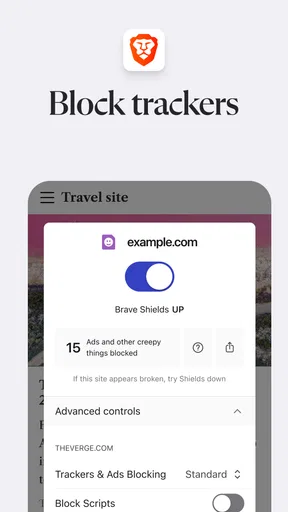
One of the standout features here is the built-in ad blocker. If you’re anything like me, you probably get annoyed when ads pop up like unexpected guests. With Brave, those ads are minimized, allowing your pages to load faster and your data to stay intact. It’s like having a bouncer at your web party who knows exactly who to let in.
Safety First: Browsing with Peace of Mind
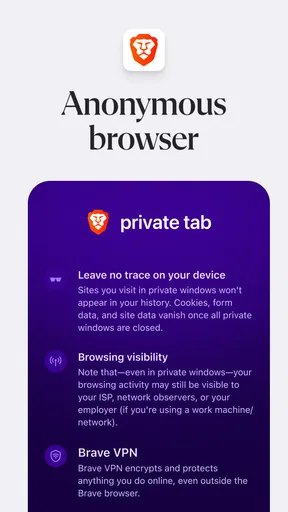
In a world where privacy feels like an endangered species, Brave’s got your back. The app comes equipped with a VPN, which is like having a personal bodyguard for your online activities. This feature helps keep your browsing habits under wraps, making it super hard for prying eyes to track your every move. Plus, it’s all seamless and built into the browser, so no more jumping between apps.
Brave also takes security up a notch with its HTTPS Everywhere integration. What this does is automatically switch sites to their secure versions if they’re available. So, you’re browsing with that extra layer of protection without even thinking about it.
Performance that Packs a Punch
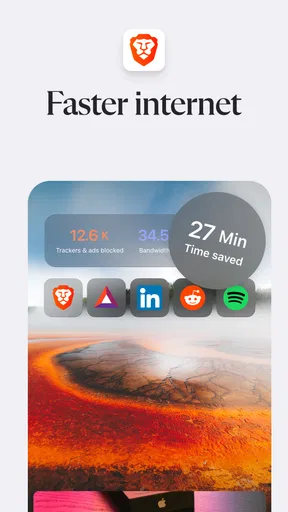
Now, let's talk speed. If you’re someone who doesn’t have the patience to wait for a site to load, you’ll love Brave. The browser is built for speed, blocking unnecessary content that drags down performance. I’ve noticed a significant boost in how quickly pages load compared to other browsers. It’s like having a sports car instead of a clunky old sedan.
One more thing I have to mention is the battery life. Brave is designed to be more efficient, which means less battery drain for you. So, whether you’re deep into a research session or just casually browsing, your phone won’t be gasping for a charger every few hours.
Customization and Rewards: A Little Extra Goes a Long Way
Customization is key, right? Brave lets you tweak settings to fit your style, from changing themes to adjusting privacy settings. It’s like having a browser that actually gets you. And for those of you who love a little reward system, Brave introduces the concept of Brave Rewards. Here, you can earn tokens just by browsing, which you can use for supporting content creators you love. It’s a win-win!
All in all, Brave Private Web Browser, VPN is a powerhouse of a browser. It’s not just about getting from point A to point B on the internet; it’s about doing it with style, speed, and security. If you’re looking to shake things up a bit and take control of your online experience, give Brave a whirl. You might just find yourself wondering how you ever browsed without it.
What faster browsing feels like day to day
Speed is most noticeable when a page is busy with interruptions, not necessarily when opening a simple text page. Blocking some ads and other unwanted page elements can make a result feel less cluttered and quicker to read. I’d treat that as a practical advantage rather than a promise that every site will load faster: connection quality, page design, and the content you need all matter. A site that relies on scripts or embedded elements may also look or behave differently when those are restricted.
For a realistic example, imagine checking a recipe while shopping. You search for an ingredient, open a few results, and move between them to compare instructions. Brave’s tab controls and reduced advertising clutter can make that quick task easier to follow, especially when a page is crowded. If an ingredient list or embedded feature fails to appear as expected, try adjusting the site’s privacy protections for that page or open it in another browser before assuming the recipe itself is broken.
When a browsing session gets demanding
The difference between a light session and a heavy one is often how many pages you keep open and what those pages are doing. Several media-rich tabs, long articles, and background activity can make any mobile browser feel less responsive. Brave’s ad blocking may remove some page elements that would otherwise have to load, but it doesn’t turn a phone into a desktop or guarantee that every demanding site will run smoothly.
My useful habit is to keep tabs for tasks I’m actively comparing, then close the ones I’ve finished with instead of treating the tab bar as a permanent reading list. For research, I’d group the session around one question, save anything I need to return to, and avoid leaving a pile of video or shopping pages open while switching between apps. That makes it easier to find the page I want and gives the browser less clutter to manage.
There’s a trade-off to the blocker, too. A page may depend on advertising or scripts for a feature you actually want, such as a sign-in flow or an interactive tool. When something looks incomplete, I’d first check whether Brave’s protections are affecting that particular site rather than switching browsers immediately. The point is control: blocking is valuable when it removes distractions, but it should not get in the way of the task you opened the page to do.
Reliability, compatibility, and recovery
For everyday browsing, I value a browser that lets me recover quickly when a page misbehaves. Brave’s familiar tab-based layout keeps the basic routine straightforward, but privacy protections can occasionally create a compatibility wrinkle. If a page loads strangely, I’d refresh it, review the site’s settings, and temporarily loosen the relevant protection only if needed. That is a more measured first step than assuming the whole browser is unreliable.
It is also worth separating browser privacy from a blanket guarantee of anonymity. A VPN can add a layer to a connection, but it does not make every account, website, or action invisible. I’d still be thoughtful about what I sign into and what information I submit. For someone who wants a simple private window for occasional sensitive browsing, the browser’s integrated tools may feel convenient; for someone who needs a specific network setup or a workplace-managed configuration, a dedicated VPN or a browser approved by their organization may be the better fit.
Brave’s usual alternatives include browsers bundled with a phone and other familiar mobile browsers. The bundled option can be the easiest choice if you value tight integration with the device and already rely on its bookmarks or account syncing. A conventional browser may also be preferable if a particular website is built around its behavior. Brave’s draw is the emphasis on blocking unwanted content and keeping privacy controls within the browsing experience, so the best comparison is not simply which app is fastest, but which one asks the least compromise for your routine.
Choosing it for your phone and habits
Brave is a strong match for people who read news, search the web, compare products, or browse sites where advertising often competes with the content. It may also suit someone who wants to try a more privacy-conscious setup without separately managing a collection of browser extensions. If your priority is a familiar workflow tied closely to an existing browser account, or you need a page to work exactly as it does in a specific alternative, I would keep that browser available rather than forcing every task into Brave.
Device limits matter as well. The app requires Android 10 or later, so an older Android phone below that requirement is not a match. On a supported device, performance still depends on the phone’s available resources and the pages you open; I wouldn’t promise the same feel on every handset. If your phone is already struggling with several apps running at once, keeping browser tabs under control is more useful than expecting a new browser alone to solve the problem.
The current version is 1.86.148, and the app is rated for Everyone. Brave is free to install, with in-app purchases listed from $9.99 to $149.99 per item. I’d treat the free browser experience as the starting point and look carefully at any purchase prompt before deciding whether an extra is relevant to me. The app was released on October 12, 2016, and it has continued to evolve; as with any browser, I’d keep it updated so I’m using its current improvements and fixes.
Small habits that make Brave more useful
One practical tip is to change settings with a specific annoyance in mind instead of adjusting everything at once. If a site is broken, test the protection controls for that site; if the page is simply crowded, leave the blocker doing its job. This makes it easier to understand which setting helped and avoids weakening privacy across every page just to fix one awkward checkout or embedded tool.
For a shared or borrowed phone, a private browsing session can be useful when you do not want a search or page visit sitting in the ordinary browsing flow. I would still avoid treating private browsing as a substitute for signing out of accounts or protecting the device itself. Likewise, when comparing prices or researching a purchase, open only the pages you need and note the product details before closing them; relying on an ever-growing collection of tabs is an easy way to lose track of what you actually found.
People often ask whether Brave is a good choice as a complete replacement. I’d say yes for general web reading and searching if its pages display correctly for the sites you use most, but I’d test those sites before making it your only browser. If something important depends on a login, media player, or interactive page element, keep a second browser available as a fallback. That small bit of flexibility is more realistic than expecting one app to handle every website perfectly.
My performance verdict
Brave makes the most sense when you want ad blocking and privacy controls to be part of your everyday browsing, and when your normal sites cooperate with them. Its clean interface, tab management, and focus on reducing page clutter give it a clear role beside the browser that came with your phone. The experience is not automatically better for every website, and the VPN should be viewed as one privacy tool rather than a promise of total protection.
If I were recommending it to a friend, I’d suggest trying it on the kinds of pages they actually use: a news site, a search-heavy task, and any account or shopping page they depend on. That quick check reveals more than a speed claim can. Brave is free to start and has a broad user base, but the right choice still comes down to whether its protections improve your routine without creating friction where you need compatibility most.
Privacy and Permissions
See what permissions an app requests and how it handles your data.
- Location
- approximate location (network-based), precise location (GPS and network-based)
- Photos/Media/Files
- read the contents of your USB storage, modify or delete the contents of your USB storage
- Storage
- read the contents of your USB storage, modify or delete the contents of your USB storage
- Camera
- take pictures and videos
- Microphone
- record audio
- Wi-Fi connection information
- view Wi-Fi connections
- Other
- view network connections, pair with Bluetooth devices, access Bluetooth settings, full network access, change your audio settings, run at startup, reorder running apps, control vibration, prevent device from sleeping, install shortcuts
How Brave Private Web Browser, VPN Compares
Full ComparisonChoose Chrome for cross-device syncing, Samsung Browser for ad blocking and Samsung integration, or Brave for privacy-focused browsing.
| App | Developer | Rating | Price |
|---|---|---|---|
 Google Chrome | Google LLC | 4.1 | Free |
 Samsung Browser | Samsung Electronics Co., Ltd. | 3.6 | Free |
 Brave Private Web Browser, VPNThis App | Brave Software | 4.8 | Free |
Verdict
Strengths of Brave Private Web Browser, VPN
- Fast and secure browsing experience.
- Built-in ad blocker enhances speed.
- Free VPN for added privacy.
- User-friendly interface design.
- Supports numerous extensions.
Limitations of Brave Private Web Browser, VPN
- Occasional website compatibility issues.
- Limited VPN server locations.
- Settings can be complex for newbies.
- No built-in email client.
- Consumes more battery on mobile.
Similar Picks in This Category
View All
Google Messages
Google LLC4.6

Gmail
Google LLC4.1

Google Meet
Google LLC4.4

Google Chrome
Google LLC4.1

WhatsApp Messenger
WhatsApp LLC4.6

Carrier Services
Google LLC4.2
Frequently Asked Questions
What makes Brave Private Web Browser different from other browsers?
Brave Private Web Browser stands out due to its built-in ad blocker, which enhances speed and privacy. Unlike other browsers, Brave also includes a VPN for added security and allows users to earn cryptocurrency through its Brave Rewards program. The focus on privacy and speed appeals to users looking to browse without trackers.
How does the Brave VPN enhance my online security?
Brave’s VPN encrypts your internet connection, making it difficult for hackers and third parties to access your data. This feature is especially useful on public Wi-Fi networks, where your information is more vulnerable. The VPN ensures your browsing activity remains private and secure from potential threats.
Is Brave Private Web Browser available on both Android and iOS?
Yes, Brave Private Web Browser is available for download on both Android and iOS platforms. Users can enjoy the same privacy features, such as ad blocking and VPN services, across their mobile devices. This ensures a consistent and secure browsing experience regardless of the operating system.
Can I import my bookmarks and settings from another browser to Brave?
Absolutely. Brave allows users to import bookmarks, browsing history, and other settings from most major browsers. This feature makes the transition to Brave seamless and ensures that users don’t lose their important data when switching to a more privacy-focused browsing experience.
What is Brave Rewards and how does it work?
Brave Rewards is an optional feature that lets users earn Basic Attention Tokens (BAT) by viewing privacy-respecting ads. Users can then support their favorite content creators by tipping them with the earned BAT. This system provides a way to contribute to creators without compromising user privacy.
